Capitec Bank

Capitec Bank
Category
Finance
| Technical Specification | Download | |
|---|---|---|
| Latest Updated | Apr 16, 2024 | |
| Latest Version | 2.7.17 | |
| Developer | Capitec Bank | |
| Operating system | Android, iOS | |
| Language | English | |
| Price | Free | |
| Available version | 2.7.17 | |
| Version history |
2.5.11 2.4.11 2.3.11 2.2.11 2.1.10 |
|
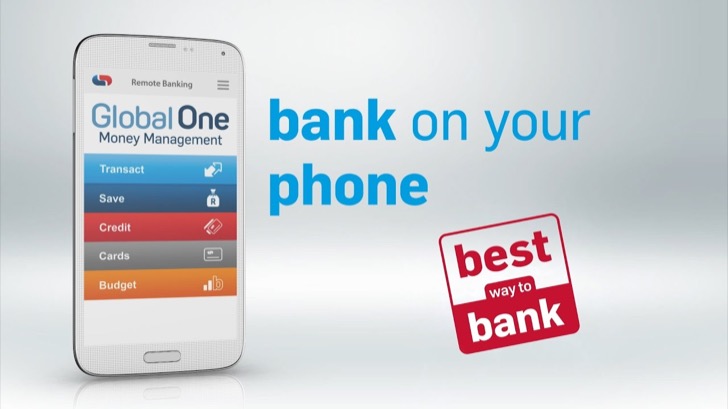
- Capitec Bank is a cutting-edge banking application designed to provide users with a seamless and efficient banking experience. With its user-friendly interface, the app allows customers to manage their accounts effortlessly, enabling secure money transfers, instant bill payments, and real-time balance checks. Additionally, users can access personalized financial insights, helping them to make informed decisions regarding their finances. The app also prioritizes security, offering advanced authentication features to safeguard personal information, thus ensuring peace of mind while banking on-the-go.
More Details
Below are some of the notable features of the Capitec Bank app:
- Real-Time Transaction Monitoring: The Capitec Bank app provides users with the capability to monitor their transaction history in real time. This feature enables users to stay informed about their financial activities, allowing them to identify unauthorized transactions promptly and manage their finances efficiently. Notifications for transactions can be personalized, ensuring users receive alerts that align with their monitoring preferences.
- Smart Savings Goals: Introduced as part of the app's innovative financial management tools, the Smart Savings Goals feature empowers users to set specific savings objectives. By allowing users to define their goals—such as travel, education, or emergency funds—the app automatically tracks savings progress and provides actionable insights and reminders to help achieve these milestones. The incorporation of gamification elements further enhances user engagement through rewarding users for reaching incremental targets.
- Card Management and Security Features: Users can exert greater control over their debit and credit card functionalities within the app. The Card Management feature allows for the immediate activation or deactivation of cards, safeguarding against theft or fraud. Moreover, advanced encryption protocols ensure that all transactions remain secure, while biometric authentication options (such as fingerprint or facial recognition) enhance security during login and sensitive operations.
- Seamless Integration with Financial Aggregators: The Capitec Bank app seamlessly integrates with various financial aggregators, providing users with a comprehensive overview of their financial landscape. This feature aggregates financial data from multiple accounts and institutions, enabling users to track their budgets and expenditures across different platforms easily. The app’s ability to visualize this data with dynamic charts and graphs enhances the user experience, promoting informed financial decision-making.
Extra Details
- How to uninstall the Capitec Bank? You can uninstall Capitec Bank on your mobile device by following these steps: Locate setting icon on your phone. Tap Application manager or Apps Touch Capitec Bank. Press uninstall.
How to install the application
How to Download and Install Capitec Bank on Your Mobile Device?
To get Capitec Bank on your Android device, follow these steps:
- Launch the Google Play Store on your phone.
- Search for Capitec Bank using the search bar.
- Pick the correct app from the results.
- Tap "Install" to start downloading.
- Wait until the installation finishes, and you’re all set!
DISCLAIMER
- This app does not modify any system settings on your device, ensuring a safe and seamless experience.
- All APK files on our website are verified and secure, free from malware or unauthorized changes.
- We provide the official Google Play Store download link to guarantee authenticity and reliability.
- Trademarks and logos on our site belong to their respective owners, with no affiliation or partnership implied.
- Our website fully complies with Google's advertising and security policies, ensuring a trustworthy experience.
Steps to Uninstall android App
How to remove Capitec Bank from your mobile device?
If you no longer need Capitec Bank, uninstall it by following these steps:
- Open your phone’s Settings.
- Head to "Apps" or "Application Manager."
- Locate and tap on Capitec Bank.
- Select "Uninstall" to delete the app from your device.
Steps to Uninstall App on Apple devices
Removing Capitec Bank from your iPhone or iPad:
- Find the Capitec Bank icon on your device’s Home Screen or in the App Library.
- Tap and hold the icon until a menu appears.
- Select Remove App from the menu.
- When prompted, tap Delete App to confirm the removal.
- To finish, press the Home button or tap Done to exit the editing mode.
Tips & Tricks
- Leverage the Instant Messaging feature to communicate directly with your account manager for personalized support. This ensures quick resolution of queries and enhances your banking experience, making your interactions more efficient and tailored to your needs.
- Utilize the Budgeting Tool integrated within the app to set monthly spending limits. By analyzing your expenses and automatically categorizing transactions, you can identify areas for improvement and better manage your finances, ultimately fostering savings.
- Take advantage of the Card Control settings that allow you to temporarily lock or unlock your debit card. This feature not only enhances your security but also gives you control over your spending, ensuring that your finances remain protected in unforeseen circumstances.
- Explore the Loan Calculator to simulate various repayment scenarios. This function enables you to assess your borrowing capacity and understand the impact of different interest rates and terms, empowering you to make informed financial decisions regarding loans.
- Use the savings goals feature to create specific targets for your savings, such as a vacation or emergency fund. By setting measurable objectives and tracking your progress, you enhance your motivation and are more likely to reach financial milestones effectively.
Popular APKs See more

Publix
8.12.1 for Android

Copy My Data
3.1.0 for Android

My McDonalds
8.1.0 for Android

Google Lens
1.16.231127009 for Android

Whole Foods Market
6.5.741 for Android

BJs Wholesale Club
12.0.1 for Android
Top APKs See more

McDonalds Canada
9.80.0 for Android

Domino’s
15.0.0 for Android

Internet Speed Test
5.3.5 for Android

My Spectrum
12.6.0 for Android

Nest
5.76.0.8 for Android

mymacca's Ordering Offers
8.8.0 for Android
Top New Social Apps See more

My Bath Body Works
5.3.0.631 for Android

Amazon Kindle Lite
1.17 for Android

SHEIN-Fashion Shopping Online
10.7.9 for Android

Alibaba.com - Leading online B2B Trade Marketplace
8.42.0 for Android

Google Sheets
1.24.142.01.90 for Android

Gboard
14.1.04.621126403-release-arm64-v8a for Android